Most sellers who come to us with a PrestaShop shop and an eBay account have the same afternoon routine. Open Seller Hub. Copy the buyer's name and address. Paste them into a courier's website. Open another tab to see whether a different courier is cheaper to Germany. Print the label. Then go back to eBay and paste the tracking number in, because if you forget, the buyer asks where the parcel is and your seller metrics pay for it.
None of that is difficult. It is the same five minutes, for every order, done by hand.
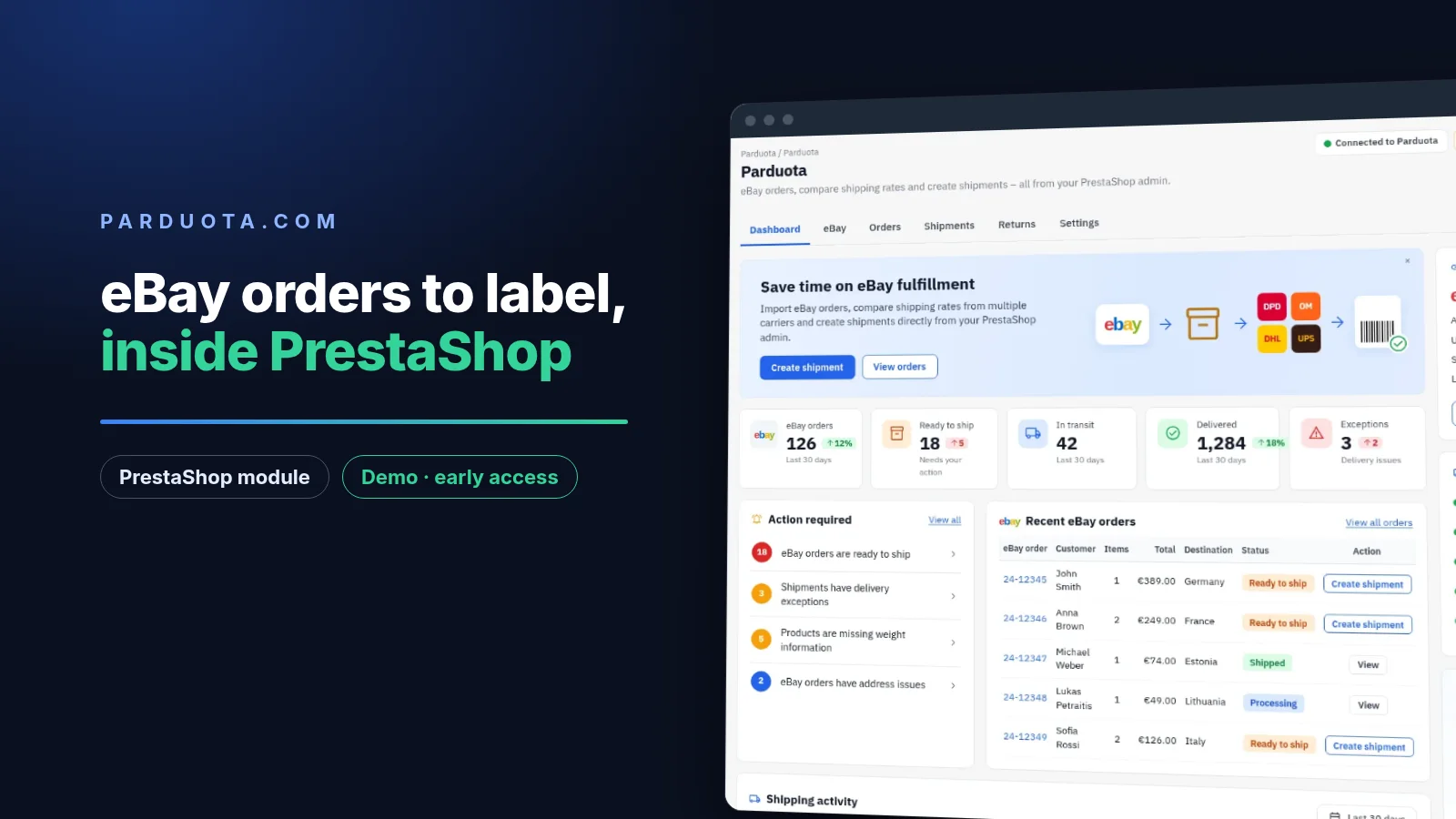
So we are building a module that does it inside PrestaShop. It is not finished. What exists today is a working demo on sample data, but it is far enough along that I want to show it to the people it is for, and hear what they need before we build the rest.
What the module does
Parduota adds its own section to your PrestaShop back office, with six screens: Dashboard, eBay, Orders, Shipments, Returns and Settings. The idea is simple: your eBay orders come to you, instead of you going to them.
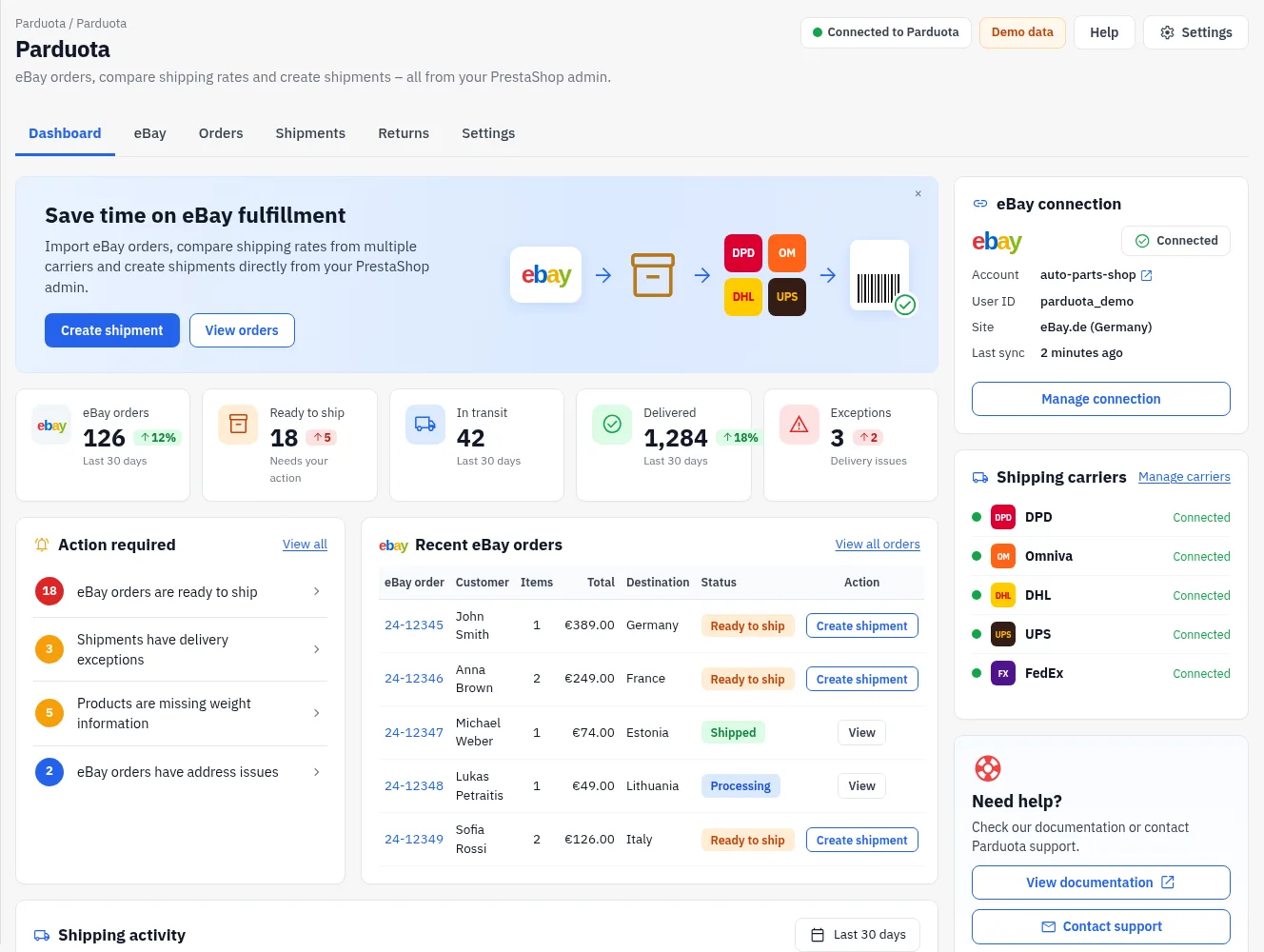
It takes over three jobs you do by hand today:
- Getting the orders. Paid eBay orders appear in your admin with the items, the buyer and the delivery address, ready to ship. No copying from Seller Hub.
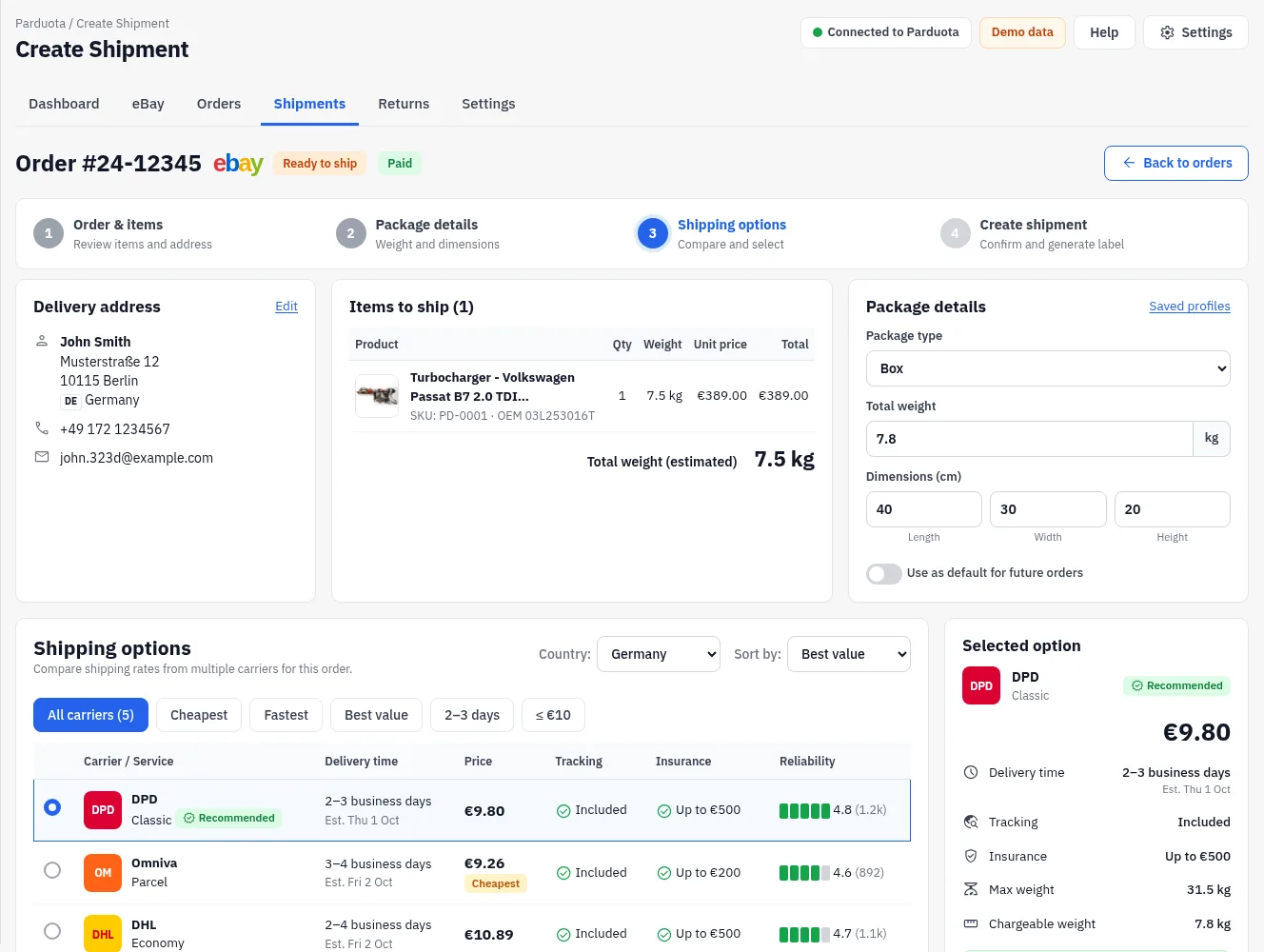
- Choosing the courier. One table with every carrier's price, delivery time and cover for this parcel to this country. You pick one instead of opening five tabs.
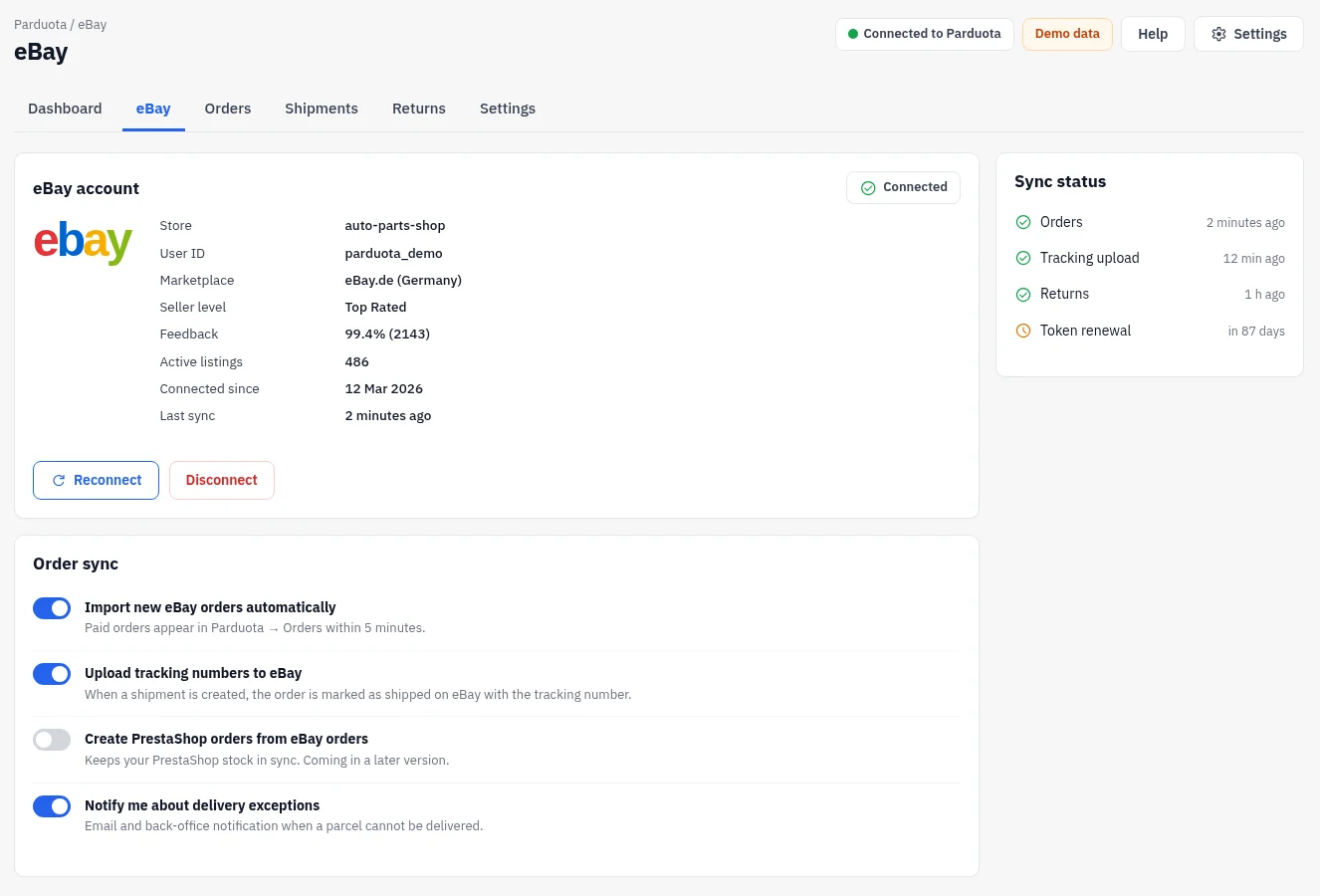
- Closing the loop with eBay. When the shipment is created, the tracking number goes back to eBay and the order is marked as shipped.
Returns get their own screen too, so a parcel coming back is followed in the same place as the one that went out.
From eBay order to label in four steps
Creating a shipment is a short wizard:
- Order and items. The eBay order arrives with the items, the buyer and the address.
- Package. Weight and size are filled in from your products. Adjust them if the box is different.
- Compare. Prices from every carrier side by side, with the cheapest, the fastest and the best value marked.
- Ship. Create the shipment, print the label, and the tracking number goes to eBay.
Our rates, or your own contract
Not every shop ships the same way. Some have no courier contract at all and want a good price without negotiating one. Others already have a courier account with prices they are happy with, and do not want to give that up.
The module is built for both, and you choose per carrier. Parduota rates means you ship on our negotiated prices, with no contract of your own. Your own account means you connect the carrier account you already have with its API keys, and the carrier keeps billing you directly. Which carriers come with Parduota rates at launch will be confirmed before the beta.
Where it is today
To be clear about the status: you cannot install the module yet. What exists is a demo in a PrestaShop 9 test shop, with sample orders, so we can show the screens and test the flow. The connections to eBay and to the carriers are what we build next.
Early-access members are invited to the first beta. The plan is to publish the module on the PrestaShop Addons marketplace, and also as a zip you upload in Modules › Upload a module. Pricing is not final. It will be published before the beta opens, and the early-access list hears it first.
PrestaShop comes first. A WooCommerce plugin is at the same demo stage, and the order of the other platforms depends on who asks.
Join early access
If you run a PrestaShop shop and sell on eBay, join early access. It takes two minutes and commits you to nothing. Tell us which carriers you use today and roughly how many eBay orders you ship a month. Those two answers decide which carriers we connect first.